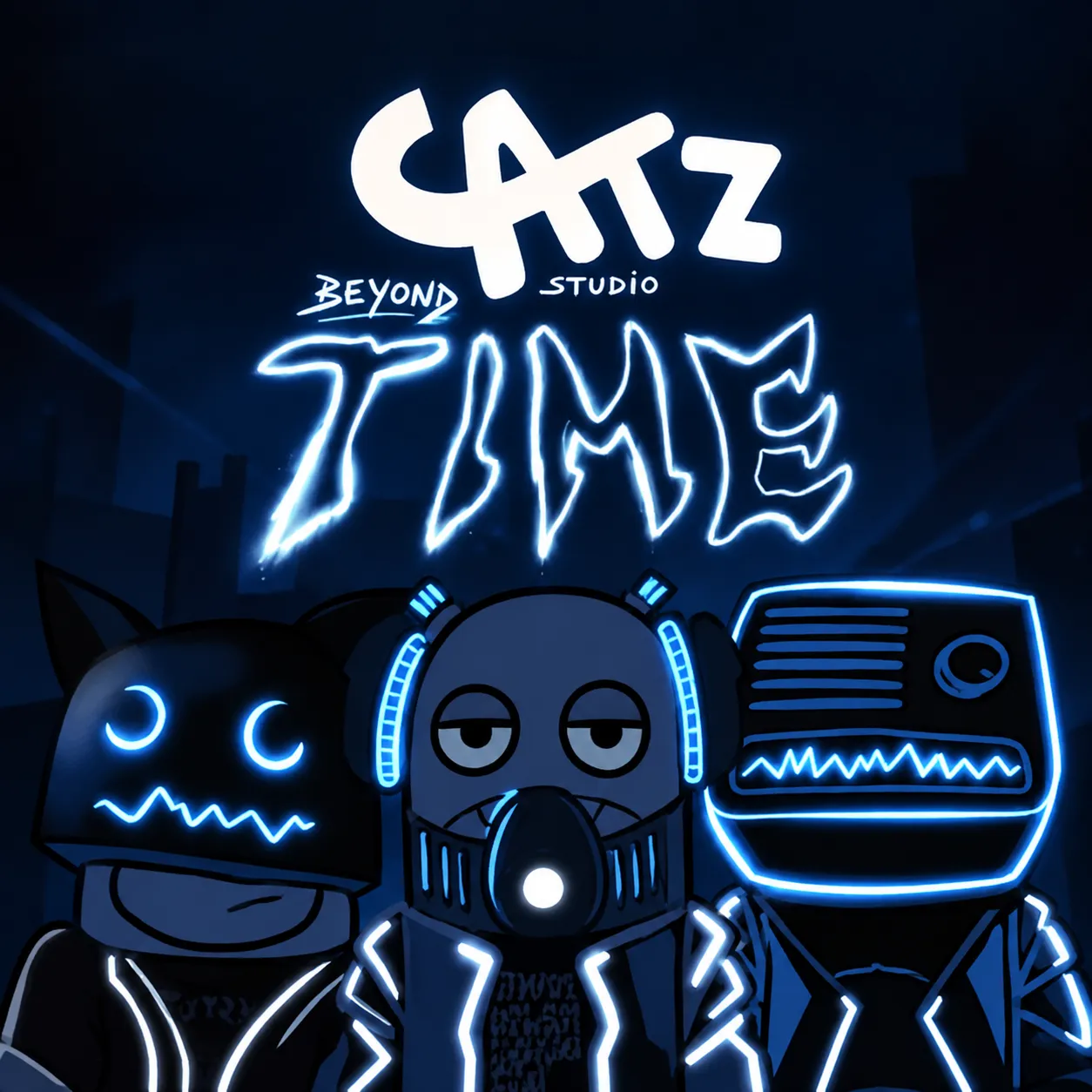
Cat Z Studio Beyond Time is a cat-themed music creation game inspired by Incredibox, featuring new characters, sounds, and an unusual atmosphere. Arrange eight musical cats, customize their audio, and experiment with different combinations to create your own tracks!
Build Your Own Cat Music Studio
Cat Z Studio Beyond Time is a special edition of the original Cat Z Studio created by Hawk Studio. The game introduces a mysterious visual style alongside an updated synchronization system that helps different sound loops work together during music creation. Eight cat avatars occupy the main screen, with sound icons available below them. Placing an icon onto a cat activates its musical performance, allowing multiple characters to contribute beats, vocals, melodies, and effects to the same composition.
Audio Mixing Features
The game includes several tools for controlling individual sounds and the overall arrangement:
- Solo Mode: Hold a cat for approximately one second to hear its sound independently.
- Equalizer: Adjust volume, pitch, and stereo pan for selected characters.
- Synchronization: Coordinate different musical loops as the arrangement changes.
- Clear All: Remove every active sound and begin a fresh composition.
- Tutorial: Access visual instructions through the question mark icon.
Experiment With Sound Layers
Cat Z Studio Beyond Time gives players direct control over how individual sounds interact, making the equalizer particularly valuable when creating more detailed arrangements. Starting with a steady beat and gradually introducing melodic or vocal layers helps establish a recognizable musical structure.
Solo Mode provides another way to refine the composition by isolating individual sounds before adjusting their volume or pitch. Small changes to stereo positioning can also create more separation between overlapping elements, while experimenting with different character combinations may reveal hidden surprises.
Mouse Controls
Drag sound icons from the bottom panel onto the cats to activate their performances. Click an active cat to remove its sound, or hold it to enable Solo Mode. The equalizer icon in the upper-right corner opens the audio adjustment tools, while the X button clears the entire arrangement.
Creative Music Mixing Games











![Play FNF: Vs Matcha [Rebuild] Now!](/cache/data/image/game/fnf-vs-matcha-rebuild/fnf-vs-matcha-rebuild-m200x200.webp)